Welcome to
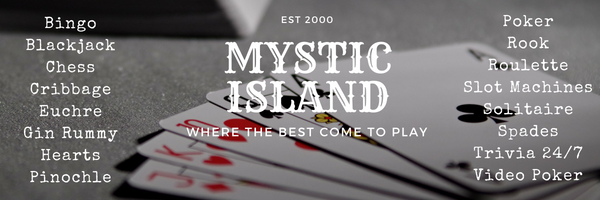
Mystic Island™, the hottest spot on the Internet to play cards!
We offer an superior tournament management system, nightly
Duplicate Spades tournaments, live
interactive trivia 24 hours a day along with a
Live Casino
featuring Texas Holdem and Omaha Poker, a Slot Room, Roulette, Video Poker, Blackjack and nightly Bingo sessions.
Mystic Island is celebrating it's 23rd year in operation and still running strong! Thanks to the support of our
terrific player community, we continue to thrive as the longest-running online card gaming platform in history.
We are a small boutique gaming site that runs on software you will need to download and install, our games do not run in a web browser.
Installing The Software
We offer a universal master installer that includes our chat lobby and all of our latest games. Please note that Windows 7 is the minimum operating system for our software. We cannot provide support for earlier versions of Windows. If you have the option to do so, choose 'Run As Administrator' when
running the install. We currently do not offer a Mac version.
 Mystic Island v4.00 Download (Master Install) - Version 4.00 - File Date 5/19/2018
If you run into issues, you can find our older installers below, there is actually a series of files as everything used to be separated.
You'll need an account too, very easy to set up! Once you're installed, click here to go to the account registration page.
Please only use these links below if you encounter issues with the above master installer.
Legacy Island install - Version 3.86b - File Date 4/27/2014
After you install the legacy lobby, we made a quick update that enabled Casino and Bingo support. This updates just a single file.
Click here for the Lobby 3.95 Update
If Poker is your thing, we added that too. Again, its included in the Master Install, so you only need this if the Master Install fails.
Click here to install Mystic Poker
For troubleshooting, our Island software contains parts that run on very old software (being nearly 20 years old does that to a program!). If you are
unable to run the software, you may need to obtain 'Visual Basic Runtime Library' from Microsoft. It is a very quick and easy installation. Only
use this if you run into problems, as most modern versions of Windows already come with this included.
Click here to for the Visual Basic runtime